How to Create AI Videos for New Product Launches?

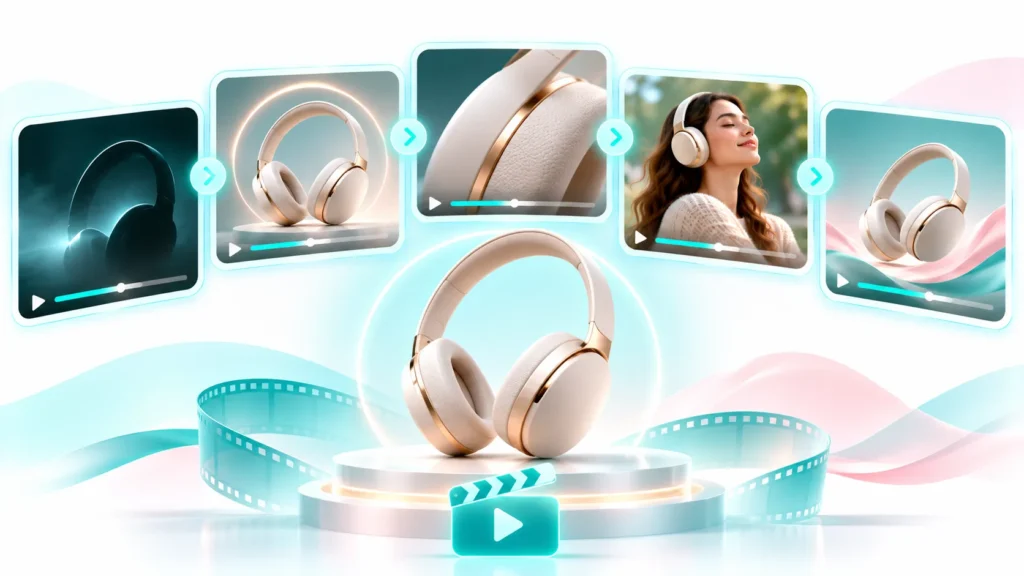
Launching a new product is an important moment for any business, and AI Videos for New Product Launches give brands another way to introduce their products, capture attention, and build customer interest through engaging visual content. Whether a company is introducing a new fashion collection, an electronic device, a beauty product, a jewellery design, or a new ecommerce offering, a successful launch needs more than a simple product announcement. Customers need to discover the product, understand what makes it valuable, see how it fits their needs, and have a compelling reason to explore or purchase it.
Video plays an important role in communicating that story because a well-planned product launch video can introduce the product, reveal its design, demonstrate important features, communicate key benefits, and guide potential customers towards the next step. However, producing multiple videos for a launch campaign can require considerable creative planning, photography, filming, editing, and coordination, particularly when businesses need different versions for websites, social media, advertisements, and promotional campaigns.
AI video creation gives businesses another way to approach this process by allowing brands to use existing product images, creative references, scripts, and campaign concepts to develop different types of launch videos without depending entirely on traditional video production for every asset. This makes it easier to explore creative directions, produce campaign variations, and prepare visual content for different marketing channels.
The opportunity goes beyond creating a single announcement video. Businesses can plan a sequence of AI videos for the entire launch journey, beginning with pre-launch anticipation and continuing through the product reveal, launch announcement, promotional campaigns, and post-launch engagement. Each video can serve a specific purpose while contributing to a consistent product story across the campaign.
With LovPics, businesses can connect product-focused video creation with Product Reels, AI Reels, UGC Product Showcase Reels, Voice-over Reels, AI Productshoot, and supporting campaign creatives. This makes it possible to approach a product launch as a coordinated visual content campaign rather than treating every video or creative asset as a separate production task.
Why Product Launches Need a Planned Video Strategy
A new product does not automatically attract attention simply because it is available. Customers may not know that it exists, understand its features, or recognize why they should consider it. A launch campaign needs to communicate these details in a way that makes the product relevant to its intended audience.
Video helps businesses present more information through a sequence of visual moments. A product reveal can create initial interest, a feature-focused scene can explain an important capability, and a lifestyle presentation can help customers understand how the product fits into their lives.
A launch also involves different audiences and channels. Existing customers may need an announcement, potential customers may need an introduction, and interested shoppers may need additional information before making a purchase. One video is unlikely to serve every requirement equally well.
A planned video strategy gives each asset a defined purpose. It also helps marketing teams maintain a consistent message across social media, ecommerce pages, advertising, email campaigns, and other launch communication.
Build Anticipation Before the Product Is Released
Pre-launch communication gives businesses an opportunity to introduce a product without revealing every detail immediately. A short teaser can communicate a new collection, an upcoming feature, a product category, or a launch date while encouraging the audience to follow the announcement.
Make the Product Easy to Understand
When the product becomes available, customers need a clear introduction. A product reveal video can show its appearance, design, packaging, and most important characteristics so that viewers understand what is being launched.
Explain the Product’s Value
A product launch should communicate more than specifications. Customers want to understand what a product helps them do, what problem it addresses, or what makes it different from other available options. Feature and benefit videos can make this information easier to communicate.
Maintain Attention After Launch Day
A product launch should not end with one announcement. Businesses can continue publishing feature highlights, demonstrations, customer-focused content, promotional videos, and different creative variations after the release.
The Challenges of Producing Product Launch Videos
Traditional video production can deliver a high level of creative control, but coordinating a complete launch campaign can be demanding. A business may need several video concepts, multiple formats, different product angles, voice-over scripts, campaign messages, and supporting creative assets within a limited period.
For companies launching several products or collections, the workload becomes even more complicated.
Coordinating Multiple Production Activities
A traditional launch video may require product preparation, location or studio arrangements, lighting, camera work, models, creative direction, editing, and approvals. When several videos are required, these activities can create dependencies that delay the overall campaign.
Producing Different Videos for Different Channels
A product launch may need a vertical Reel, a landscape product presentation, a short advertisement, an ecommerce video, and a promotional announcement. Each format may require different framing, pacing, and messaging.
Keeping the Campaign Visually Consistent
Different videos should feel like part of the same launch. If the product presentation, colors, backgrounds, tone, and messaging vary too much, the campaign can lose its identity. Maintaining consistency across multiple creative outputs requires planning and review.
Responding to Last-Minute Changes
Launch campaigns can change because of product updates, pricing changes, availability, promotional offers, or revised launch dates. Businesses may need to update creative assets quickly rather than repeat an entire production process.
AI-assisted video workflows can help teams explore creative variations and prepare supporting assets more flexibly. However, product accuracy, campaign approvals, and final quality checks remain essential.
What Are AI Videos for New Product Launches?
AI videos for new product launches are marketing videos created with the assistance of artificial intelligence to introduce, demonstrate, promote, or explain a newly released product.
These videos can be developed from product photographs, visual references, scripts, story concepts, and creative instructions. Depending on the workflow, AI can help generate scenes, motion, storyboards, voice-led content, and short-form video presentations.
A business might create a teaser showing selected product details, a reveal video presenting the complete product, a feature video explaining its benefits, and a promotional Reel announcing its availability. Each video serves a different purpose, even though all of them support the same launch.
The most effective approach is to connect these videos through one campaign message. The product, visual direction, audience, and key benefits should remain recognizable throughout the launch journey.
How to Create AI Videos for a New Product Launch
Creating effective launch videos starts with campaign planning, not video generation. Before preparing the visual assets, businesses should understand the product, the audience, the launch objective, and the message that each video needs to communicate.
Step 1: Define the Product Launch Objective
Start by deciding what the campaign should achieve. A business introducing a completely new product may need awareness and education, while a brand launching a new version of an existing product may need to highlight improvements and explain why customers should consider upgrading.
Common launch objectives include:
- Building awareness before release
- Introducing a new product or collection
- Explaining important features
- Demonstrating product benefits
- Generating launch enquiries
- Driving traffic to a product page
- Promoting a launch offer
- Encouraging first-time purchases
The objective determines the type of video, message, and CTA required. A teaser should create curiosity, while a product demonstration should focus on understanding and usefulness.
Step 2: Understand the Target Audience
A product video should speak to the people most likely to buy or use the product. Consider their needs, interests, purchasing concerns, and familiarity with the product category.
For example, a new skincare product may need to communicate its intended use and place in a routine. An electronic device may require feature explanations, while a new fashion collection may benefit from styling and lifestyle presentation.
The same product can also be introduced differently to different audience groups. A first-time customer may need a simple introduction, while an existing customer may be more interested in what is new or improved.
Step 3: Prepare Product Images and References
Product references provide the visual foundation for product-focused AI video creation. Choose clear images that represent the actual product and show important details.
Depending on the product, useful references may include:
- Primary product photograph
- Front and back views
- Close-up detail images
- Packaging images
- Product-in-use photographs
- Lifestyle or model images
- Existing brand campaign references
When a product has several important design details, multiple references can help provide additional visual context. LovPics AI Video Gen supports up to four clip images, with concepts generated per clip and combined video export.
If the original product photography needs improvement, businesses can first prepare stronger visuals through AI Productshoot or relevant fashion photography workflows.
Step 4: Plan the Launch Story
A launch video should have a beginning, middle, and end. Rather than showing disconnected product shots, structure the video around the information customers need to receive.
A practical launch story can follow this sequence:
- Opening hook: Introduce a question, need, or visual moment that attracts attention.
- Product reveal: Present the new product clearly.
- Feature highlight: Show the most important product characteristics.
- Use or lifestyle context: Help customers understand where and how the product fits.
- Customer benefit: Explain the value of the product in relevant terms.
- Launch message: Communicate availability, launch timing, or an offer.
- Call to action: Encourage viewers to explore, enquire, register, or purchase.
Not every short video needs all seven stages. A short teaser may focus only on curiosity and the release date, while a longer product introduction can include more explanation.
Step 5: Choose the Right Video Type
Different launch stages require different creative treatments. Businesses should choose a video format based on the campaign objective instead of trying to make every video serve the same purpose.
Teaser videos create anticipation before the release. They can use close-up details, selected product angles, campaign visuals, and launch-date messaging without revealing everything.
Product reveal videos introduce the product and make its design, appearance, and identity clear. They are particularly useful for launch-day announcements.
Feature videos focus on individual product characteristics. They can explain what makes the product different and why a particular feature matters.
Lifestyle videos show the product within a relevant setting or use case. They help customers imagine how the product might fit into their routines or preferences.
Promotional videos communicate launch offers, limited-period pricing, bundles, or other campaign details. These should make the offer and next action easy to understand.
UGC-style videos use a presenter-led approach to introduce a product through a script or product showcase. This format can be useful when a brand wants a more conversational presentation.
Step 6: Select the Video Format and Duration
The destination of the video should influence its format and pacing. Vertical video is commonly used for mobile-first social content, while landscape video can be suitable for websites, YouTube, presentations, and other wider placements.
LovPics AI Video Gen supports 9:16 vertical and 16:9 landscape formats. Product Reels and other short-form workflows can support launch content designed for social distribution, with available timelines including 15-second and 30-second formats in relevant Reel workflows.
The duration should match the message. A teaser needs to communicate one idea quickly, while a product introduction may need additional time to explain important details. Avoid extending a video simply to include every product specification.
Step 7: Write Clear Creative Instructions
Creative instructions help communicate the intended visual direction. They should describe the product presentation, camera movement, scene environment, mood, lighting, and important details that need to remain visible.
For example, instead of writing: Create a launch video for this product.
A more useful instruction would be: Create a premium product reveal video for a new wireless audio device. Begin with a close-up silhouette, reveal the complete product against a clean modern background, use a slow camera push-in, and highlight the product design. Maintain the original product shape and color. Finish with a clear launch announcement and space for a call to action.
For a product with several features, create separate concepts for the most important moments instead of trying to communicate everything in one scene.
Step 8: Generate and Review the Video
Generate the video using the selected references and creative direction. Review the output carefully before using it in a public launch campaign.
Check whether the product appearance is consistent with the reference, whether the important details remain visible, and whether the motion supports the message. Also review text, logos, packaging, proportions, colors, and any claims included in the video.
AI-generated content should not introduce product features, certifications, materials, specifications, or performance claims that the business has not verified.
Step 9: Add Branding, Audio, and Campaign Messaging
A launch video should feel like part of the brand’s wider communication. Use approved brand assets, consistent colors, relevant campaign messaging, and a clear CTA.
Depending on the LovPics workflow, businesses can use background music, subtitles, logo overlays, and branded outro cards. Voice-over Reels can also support narrated product introductions and marketing scripts.
Before publishing, verify that the launch date, pricing, offer terms, website address, and availability information are correct.
Step 10: Export and Prepare the Launch Assets
Once the video has passed review, prepare the final version for its intended channel. Organize the assets by product, campaign stage, platform, format, and publication date.
A launch asset library may contain the teaser, product reveal, feature videos, promotional Reel, landscape presentation, and supporting banners or posters. This organization helps teams publish consistently and locate the correct approved version when campaign changes are required.
Build a Complete Product Launch Video Campaign
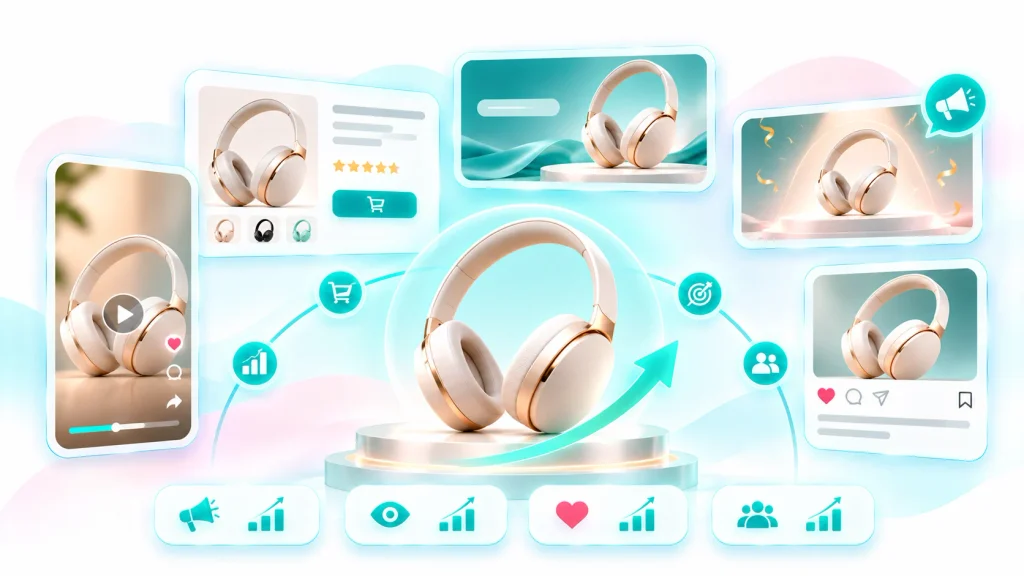
A product launch is more effective when the videos work together as a sequence. Each stage should prepare the audience for the next communication rather than repeating the same announcement.
Pre-Launch: Create Curiosity
The pre-launch stage is about making the audience aware that something new is coming. A teaser video can introduce a product category, reveal a small design detail, show a silhouette, or announce the launch date.
The objective is to encourage attention without making unsupported promises or revealing information that the business intends to keep confidential.
Launch Day: Reveal the Product
The launch-day video should clearly introduce the product. Show the complete product, communicate its primary value, and make availability information easy to understand.
This is also a suitable stage for publishing the main product Reel, website video, launch announcement, and supporting campaign creatives.
Post-Launch: Explain and Promote
After the product becomes available, continue the campaign with feature explanations, product demonstrations, lifestyle content, FAQs, and promotional videos. These assets can address questions that customers may have after seeing the initial announcement.
Retargeting: Reconnect With Interested Customers
Some people may watch the launch video or visit the product page without purchasing. Businesses can prepare additional creative variations that focus on product benefits, specific features, customer questions, or a relevant offer.
The message should match the audience’s level of interest rather than simply repeating the original launch announcement.
How Different Industries Can Use AI Product Launch Videos
Fashion and Apparel
Fashion brands can use launch videos to introduce new collections, seasonal designs, color variants, and individual products. A campaign might begin with a collection teaser, followed by model-based product presentations, styling moments, and a final collection announcement.
LovPics AI Fashion Photoshoot can help prepare model-based visual references before they are used in relevant video workflows.
Jewellery
Jewellery launches benefit from detailed product presentation. A reveal video can introduce the design, while close-up scenes can highlight stones, settings, finish, and craftsmanship. A premium campaign can then extend the product into social reels and promotional content.
Beauty and Skincare
Beauty brands can use launch videos to introduce packaging, product texture, application context, and the intended place of a product within a routine. Product claims should be reviewed carefully and supported by approved information.
Electronics and Gadgets
Electronics launches often need to explain functionality. Videos can introduce the device, highlight design details, show relevant use cases, and explain verified features. For complex products, separate feature videos may be more effective than one crowded announcement.
Food and Beverage
Food and beverage businesses can use launch videos to introduce new flavors, packaging, product ranges, and seasonal offerings. Visual storytelling can focus on the product, serving context, packaging, and availability.
Home and Furniture
Furniture and home brands can introduce new products through a combination of product-focused visuals and room-context presentations. A launch sequence can show the product design, important details, and how the item fits within a particular interior style.
How Businesses Can Scale AI Videos for Multiple Product Launches
The real value of AI video creation becomes more visible when businesses launch products regularly. Instead of starting every campaign from zero, teams can establish reusable processes for planning, producing, reviewing, and publishing launch content.
Create a Reusable Launch Video Structure
Build a standard structure that can be adapted for different products. For example, a product launch sequence may include a teaser, reveal, feature highlight, use-case video, promotional Reel, and post-launch follow-up.
The structure can remain consistent while the product details, visuals, scripts, and campaign message change.
Build a Product Reference Library
Organize approved product images, packaging references, logos, brand guidelines, and campaign materials. A well-maintained reference library makes it easier for teams to prepare new launch content without repeatedly searching for source assets.
Generate Different Creative Angles
One launch announcement does not need to be the only version. Businesses can test product-focused, feature-focused, lifestyle-focused, and offer-focused approaches.
Each variation should have a meaningful difference in its opening, story, product emphasis, or CTA. Changing only the background or music may not create a sufficiently different message.
Adapt Videos for Each Channel
A product launch video designed for a website may need a different edit or presentation from a social Reel. Consider the viewing environment, audience expectations, aspect ratio, pacing, captions, and CTA before publishing.
Establish a Review and Approval Process
A scalable workflow needs clear responsibility for product accuracy, marketing claims, branding, pricing, and final approval. This is particularly important when several products or teams are involved in a launch.
Measure Campaign Performance
Track relevant campaign indicators such as video views, watch time, completion rate, engagement, product-page visits, enquiries, add-to-cart activity, and purchases where available.
Use these observations to improve future creative decisions. The purpose of producing more video variations is to learn which messages and presentations are useful, not simply to increase the number of assets.
Related LovPics AI Video and Creative Solutions
LovPics provides several capabilities that can support different parts of a product launch campaign. The most relevant solution depends on whether the business needs product presentation, short-form video, creator-led content, narration, or supporting campaign assets.
- Product Reels helps turn product references into structured, multi-beat reels for product showcases, launches, and promotional campaigns.
- AI Reels supports short-form video workflows, including product-focused and campaign-oriented Reel formats.
- UGC Product Showcase Reels combines product references and creator portraits with scripted, presenter-led product storytelling.
- Voice-over Reels can support narrated product introductions and marketing messages through visual scenes and voice-over.
- AI Product Video Maker helps businesses turn product photos into short-form product videos for ecommerce and marketing.
- AI Productshoot helps prepare product visuals that can serve as references for launch content.
- AI Fashion Photoshoot supports model-based fashion imagery for brands introducing new apparel collections.
- AI 360° View provides rotating product presentations that can complement product launch content.
- AI Banner Generator helps extend the launch’s visual direction into banners and promotional creatives.
- Animated Reels supports character-led animated content for brands that want a different storytelling style.
These capabilities can be used together where appropriate. For example, a business can prepare product imagery, create a launch Reel, develop a supporting banner, and produce additional promotional content from the same campaign direction.
Real-World Applications of AI Videos for Product Launches
Launching a New Product Line
A brand introducing a new product line can create a teaser to announce the upcoming collection, a reveal video to introduce the products, and individual feature videos for selected items. This gives the campaign multiple opportunities to communicate with its audience.
Introducing a New Product Variant
When an existing product receives a new color, size, design, or configuration, the launch video can focus on what has changed. Customers who already understand the original product may not need a complete introduction, so the creative should emphasize the new variant.
Announcing a Product Upgrade
An upgraded product may need a comparison or feature-focused explanation. The video should clearly distinguish verified improvements from the previous version and avoid suggesting changes that are not part of the actual product.
Launching Seasonal Collections
Fashion, gifting, home decor, and other businesses often introduce products around seasonal events. A reusable launch structure can help teams create campaign variations while adapting the visual treatment and message to the occasion.
Launching Products on Marketplaces
Marketplace sellers can use launch videos to introduce new listings and support external marketing campaigns. The video should remain consistent with the product information, imagery, and claims used in the actual listing.
Supporting a Website or Ecommerce Launch
A product launch page can use a short introduction video alongside product images, specifications, pricing, and purchase information. The video should help visitors understand the product rather than replace essential written details.
Across the LovPics Ecosystem
A product launch can generate several kinds of content, and these assets do not need to be created as unrelated projects. The same approved product references and campaign direction can support a connected visual workflow.
A business may begin with product photography, prepare additional lifestyle or fashion visuals, develop a product video, and then adapt the campaign into Reels, banners, posters, and 360-degree presentations.
This approach helps marketing teams maintain a consistent visual identity while preparing content for different channels. It also makes the original product references more valuable because they can support multiple campaign requirements.
The important consideration is to maintain one approved source of product information. Any video, banner, poster, or promotional asset should use accurate product details, current pricing, approved claims, and the correct launch information.
Expand Product Launch Campaigns With LovPics
The opportunity is to move from creating one launch video to planning a complete collection of launch assets.
Consider a business introducing a new product. Before release, it can prepare a teaser Reel that creates anticipation. On launch day, it can publish a product reveal and a feature-focused video. During the following days, it can share lifestyle content, creator-led product showcases, and promotional creatives.
The campaign can then continue with videos that answer common customer questions or highlight specific benefits. The same product references can also support banners, posters, and other visual assets.
This creates a more coordinated launch process in which each asset has a purpose and contributes to the overall campaign.
LovPics helps bring these visual production requirements together through product photography, video generation, Reels, 360-degree visuals, banners, posters, and other creative capabilities.
Common Mistakes Businesses Make When Creating Product Launch Videos
Starting Video Production Without a Launch Plan
Creating videos before defining the launch objective can result in attractive content that does not communicate a clear message.
Better approach: Decide what the audience should know, feel, or do at each stage of the campaign before generating the videos.
Revealing Everything in the Teaser
A teaser that communicates every product detail may leave little reason for the audience to follow the launch announcement.
Better approach: Use the teaser to introduce the product category, selected details, or launch date. Save the complete presentation for the reveal.
Trying to Explain Every Feature in One Video
A crowded video can make the product difficult to understand, especially when several specifications, benefits, and promotional messages appear together.
Better approach: Prioritize the most important message in the main launch video and create separate feature videos for additional information.
Using Inconsistent Visual Styles
When different launch assets use unrelated backgrounds, colors, product presentations, and messaging, the campaign can lose its visual identity.
Better approach: Establish a campaign visual direction and use it consistently across the teaser, reveal, Reels, banners, and promotional assets.
Ignoring Product Accuracy
AI-generated visuals may introduce differences in product shape, labels, packaging, colors, or other details.
Better approach: Compare the generated output with approved product references and obtain the necessary review before publishing.
Publishing Incorrect Offers or Launch Information
A video containing an outdated price, incorrect launch date, unavailable offer, or unverified product claim can create confusion and damage customer trust.
Better approach: Keep campaign details in an approved source and verify every final asset before publication.
Using the Same Video Across Every Channel
Different platforms and placements have different format and viewing requirements. Publishing the same video everywhere may not provide the best experience.
Better approach: Adapt framing, pacing, captions, duration, and CTA to the destination while retaining the campaign’s core message.
Measuring Only Views
Views can indicate reach, but they do not explain whether the launch video helped customers understand the product or take action.
Better approach: Review watch time, engagement, product-page visits, enquiries, and conversions alongside reach to understand campaign performance.
The Future of AI Video Marketing for Product Launches
Product launches are becoming more content-intensive. Businesses need to introduce products across websites, social media, marketplaces, advertisements, and other digital channels, often within a short period.
AI video creation can help teams prepare more visual variations and connect product references with different campaign requirements. It can also make it easier to plan launch content as a sequence rather than treating the main announcement as the only important video.
The next stage is likely to involve more coordinated workflows where product images, story concepts, scripts, video scenes, and supporting creatives work together. Businesses will still need creative direction, product knowledge, accurate information, and quality control, but AI can assist with producing and adapting the visual content.
For brands that launch products frequently, this creates an opportunity to build a repeatable launch content system. Each campaign can benefit from the structures, visual references, and performance insights developed during earlier launches.
Comparison: Traditional Product Launch Videos vs AI-Assisted Launch Videos
| Factor | Traditional Video Production | AI-Assisted Video Production |
|---|---|---|
| Starting materials | Physical product and production plan | Product references, scripts, and creative inputs |
| Production setup | May require studio, equipment, and crew | Can reduce the need for physical production in suitable workflows |
| Creative variations | Often require additional production or editing | More flexible to explore and generate |
| Product presentation | Direct physical capture | Generated from supplied visual references |
| Campaign formats | May require separate edits and production | Can support multiple creative formats |
| Production coordination | Involves scheduling and production teams | Can simplify parts of the content workflow |
| Product accuracy | Captures the physical product directly | Requires careful reference-based review |
| Best suited for | High-control physical filming and complex demonstrations | Scalable product marketing content and creative variations |
AI-assisted production does not replace traditional filming in every situation. Physical demonstrations, highly controlled commercial shoots, and content requiring exact real-world footage may still need traditional production. The practical choice depends on the product, campaign, budget, and quality requirements.
Decision Matrix: Choosing the Right AI Video for a Product Launch
| Launch Requirement | Recommended Video Approach |
|---|---|
| Build anticipation before release | Teaser video |
| Introduce the complete product | Product reveal video |
| Explain important product features | Feature-focused video |
| Show the product in context | Lifestyle video |
| Announce launch pricing or offers | Promotional Reel |
| Introduce a product through a presenter | UGC Product Showcase |
| Explain a product with narration | Voice-over Reel |
| Launch a fashion collection | AI Fashion Photoshoot + Product Reels |
| Create rotating product presentation | AI 360° View |
| Extend the launch into static creatives | AI Banners + AI Posters |
| Prepare multiple campaign variations | AI Reels and reusable creative structures |
Frequently Asked Questions
How can I create AI videos for a new product launch?
Start by defining the launch objective, preparing clear product references, planning the story, and choosing the appropriate video format. Generate the required scenes or Reel, review product accuracy, add approved branding and messaging, and export the final asset for the intended channel.
What types of videos should a product launch campaign include?
A campaign may include teaser videos, product reveals, feature highlights, lifestyle presentations, promotional Reels, and post-launch videos. The exact combination depends on the product, audience, and campaign objective.
Can I create a product launch video from product images?
Yes. Product images can be used as visual references in AI video workflows. LovPics AI Video Gen supports up to four clip images, concepts per clip, and combined video export.
Can I create teaser videos before revealing the product?
Yes. A teaser can use selected product details, close-up views, visual concepts, or a launch-date announcement to build anticipation before the complete product reveal.
Can AI videos be used on social media for product launches?
Yes. Short-form launch videos can be adapted for platforms such as Instagram Reels, YouTube Shorts, and other social placements. Choose the aspect ratio, pacing, and message based on the destination.
Can I create both vertical and landscape product launch videos?
Yes. LovPics AI Video Gen supports 9:16 vertical and 16:9 landscape formats, which can support different publishing environments.
Can I add a logo and brand identity to AI launch videos?
LovPics supports logo overlays and branded outro cards in its AI video workflow. Businesses should use approved brand assets and review the final output before publishing.
Can AI launch videos include music and subtitles?
LovPics AI video workflows support background music and subtitle capabilities, depending on the workflow being used. These additions can help make launch content more suitable for different viewing situations.
Can I create multiple videos for the same product launch?
Yes. A product can support several creative approaches, including a teaser, reveal, feature presentation, lifestyle video, and promotional Reel. Each version should communicate a distinct message or serve a different campaign purpose.
How long should a product launch video be?
There is no universal duration. A teaser may need only a short introduction, while a feature video may require more time. LovPics Reel workflows include 15-second and 30-second options in relevant formats, while other video workflows can support different content structures.
Can small businesses use AI videos for product launches?
Yes. AI-assisted workflows can help small businesses create launch content without organizing a full traditional production for every asset. They still need clear product references, accurate information, a suitable creative direction, and final quality checks.
How can businesses measure the performance of product launch videos?
Track metrics relevant to the campaign, such as views, watch time, completion rate, engagement, product-page visits, enquiries, add-to-cart activity, and purchases where available. Comparing different creative approaches can help improve future launch campaigns.
Should AI completely replace traditional product launch videos?
Not necessarily. AI can help with scalable marketing content and creative variations, while traditional filming remains useful for physical demonstrations, high-control commercial production, and situations where exact real-world footage is required. Many businesses can use a combination of both.
Conclusion
Creating AI videos for new product launches is not simply about turning product images into moving visuals. It is about planning how a product should be introduced, understood, and promoted throughout its launch journey.
A well-structured campaign can begin with a teaser, continue with a product reveal, explain important features, demonstrate relevant use cases, and finish with a clear promotional message. Additional videos can then support customer education, advertising, and post-launch engagement.
For businesses launching products regularly, the biggest opportunity is to move beyond producing one video for each launch. By preparing reusable product references, creative directions, video structures, and review processes, teams can build a more consistent and scalable content workflow.
LovPics brings together AI video creation, Product Reels, UGC Product Showcase Reels, Voice-over Reels, product photography, 360-degree visuals, banners, and posters to support different parts of this process.
The goal is simple: create more purposeful launch content, communicate product value clearly, and give every new product a stronger visual introduction.